Ail_
2022. 1. 21. 16:57
환경 구축
VSCode 사용
설치한 Extension
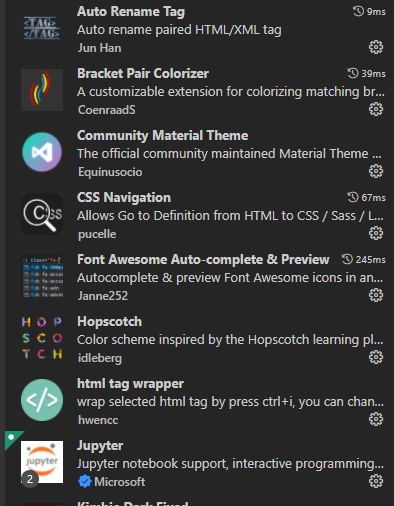
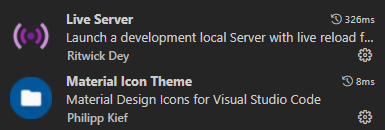
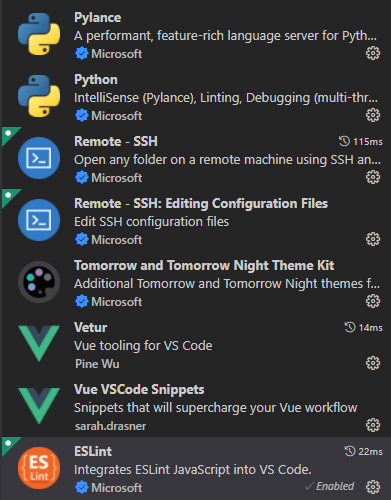
Extension 환경설정
기존 eslint 설정에 더하여 여길 참고했음
.vscode\setting.json
{
  "eslint.validate": [
    "vue", "javascript", "html"
  ],
  "eslint.alwaysShowStatus": true,
  "editor.codeActionsOnSave": {
    "source.fixAll.eslint": true
  },
  "editor.wordWrap": "on", // 자동 줄바꿈
  "editor.mouseWheelZoom":true, // 마우스 휠 줌
  "liveServer.settings.CustomBrowser": "chrome",
  "liveServer.settings.donotShowInfoMsg": true,
  "liveServer.settings.donotVerifyTags": true,
  "fontAwesomeAutocomplete.triggerWord": "fa-",
  "prettier.tabWidth": 2,
  "prettier.useTabs": true,
}
근데 여기까지 하니 html에서 오류가 났다.

Parsing error : Unexpected token eslint(prettier/prettier)
구글링 했더니 기본 Parse가 예전 버전이라 최신 문법 같은 경우 에러를 뿜는다고 한다.
그래서 링크 참고하여 Parse 설정을 바꿔줬다.(그리고 다른 것들도...다른 설정들은 기존에 했던 설정을 참고했다.)
.eslintrc.js
module.exports = {
  root: true,
  env: {
    node: true,
  },
  // extends: ["plugin:vue/essential", "eslint:recommended", "@vue/prettier"],
  extends: ["plugin:vue/recommended", "eslint:recommended", "@vue/prettier"],
  parserOptions: {  // 지워도 정상 작동...
    parser: "babel-eslint",
  },
  rules: {
    "prettier/prettier": [
      "error", {
        singleQuote: true,
        semi: false,
        useTabs: false,
        tabWidth: 2,
        trailingComma: "none",
        printWidth: 120,
        bracketSpacing: true,
        arrowParens: "avoid",
        endOfLine: "auto",
      }
    ],
    "no-console": process.env.NODE_ENV === "production" ? "warn" : "off",
    "no-debugger": process.env.NODE_ENV === "production" ? "warn" : "off",
    "no-unused-vars": ["warn", { vars: "all", args: "after-used", ignoreRestSiblings: false }],
	// 사용하지 않는 변수에 대해 에러 발생 대신 경고로 수정(원활한 작업을 위함)

    "parser": "babel-parser" // Parser 설정을 변경하기 위해 추가
  },
};
위에 parserOptions 항목을 지워도 괜찮긴 한 것 같은데...혹시 몰라 일단 남겨뒀다.